

The new Fitbit Edge features onboard GPS, which is a very good thing for folks who enjoy outdoor workouts, and also just one of the many reasons it's one of the best fitness trackers you can buy.Unlike the more entry-level Fitbit Air, you can accurately log location, distance, speed, pace, climb, and more with the Edge without needing to carry a paired smartphone.The Fitbit Edge’s onboard GPS is a battery hog There is one downside to the Fitbit Edge's onboard GPS though: it uses a lot of battery. Just to be clear, the wearable's overall battery life is pretty solid; I averaged about a week of use per charge while writing the Fitbit Edge review. However, when using the Edge's onboard GPS for location tracking, it burns through roughly 12% battery per hour. This translates to just over eight hours of use before it's lights out. But it's not your only option for logging outdoor workouts(Image credit: Future)Fortunately, there are a few ways to minimize battery drain without sacrificing location tracking insights. Both can be found in the Google Health app under Devices > Fitbit Edge > Device preferences > GPS settings.Here you can switch location tracking from built-in to either dynamic — which uses both your smartphone and the onboard antenna — or smartphone-only. The disadvantage of switching off the onboard GPS, of course, is that you now need to haul your smartphone along. But then again, if you're logging an eight-plus-hour workout, it may not be a bad idea to carry a means of communication just in case of emergencies. Fitbit Edge: GPS mode battery usageOnboard GPS onlyDynamic (onboard + smartphone)Smartphone onlyBattery drain after one hour of workout tracking 12% drain per hour4% drain per hours> 2% drain per hourMore crucially, the non-onboard GPS options significantly reduce battery consumption in my testing. For example, switching to dynamic GPS increases battery life from around eight hours to closer to 25 hours for outdoor workouts. But does turning off the onboard GPS negatively impact tracking accuracy? The Google Health app seems to suggest that it might, noting that the built-in option offers "high accuracy" while the dynamic one "automatically switches between devices to optimize battery and accuracy." Hmmm..But are the Edge's other GPS modes as accurate? (Image credit: Future)To find out if there's really a difference in tracking accuracy between the three GPS modes, I logged three 30-minute walking workouts using each one. As a control, I also logged the walks using my reliable Garmin Forerunner 170 Music, worn on the opposite wrist. Find the results below:Test 1: Onboard GPS onlyFitbit EdgeGarmin Forerunner 170Steps3,349 steps3,350 stepsDistance1.71 miles1.75 milesClimb138 feet148 feetAverage pace17 mins 48 secs per mile17 mins 47 secs per mileIn my first test using only onboard GPS, the Fitbit Edge delivered impressively similar data to the control, including a step count total that's off by only one. Next up, the dynamic GPS test. Test 2: Onboard GPS + phone GPSTest 2: Onboard GPS + phone GPSFitbit EdgeGarmin Forerunner 170Steps3,241 steps3,220 stepsDistance1.61 miles1.64 milesClimb156 feet167 feetAverage elapsed pace18 mins 56 secs per mile19 mins o4 secs per mileWhen using the Fitbit Edge's dynamic GPS mode, which switches between the onboard and smartphone-based antennas, the Edge once again logged data that falls remarkably well in line with the control across the board. Finally, let's see how the Fitbit Edge performs in smartphone GPS-only mode.Test 3: Phone GPS onlyFitbit EdgeGarmin Forerunner 170Steps3,172 steps3,178 stepsDistance1.60 miles1.59 milesClimb140 feet144 feetAverage elapsed pace19 mins 09 secs per mile19 mins 45 secs With the exception of somewhat sluggish pace data, the Fitbit Edge's smartphone-only GPS tracking mode is also right on the money in terms of step count, distance, and climb data. Which Fitbit Edge GPS mode is best?(Image credit: Dan Bracaglia/Tom's Guide)Ultimately, all three Fitbit Edge GPS modes delivered accurate-enough results that I'd confidently rely on any of them going forward, but is one definitively the best? That's going to truly come down to the user.For example, I plan to set and leave the Edge's built-in tracking switched on unless a particularly long hike or multi-day trek is in my future, in which case, dynamic mode will be my preference. Actually, in that scenario, I'd probably opt for something more rugged, like the Garmin Instinct 3, to log my efforts instead. But for everyday jogs, bike rides, dog walks, urban hikes, and other casual, quick workouts where I don't want the bulk of a smartphone weighing me down, you can bet I'll be sticking with the onboard GPS. More from Tom's GuideI walked 5,000 steps with the Apple Watch SE 3 vs Fitbit Edge — and the results are impressiveI was having issues with Fitbit’s auto workout detection — until I changed this one settingI’ve tested over 100 fitness trackers head-to-head — 3 workout stats I trust the least
The Fitbit Edge’s onboard GPS is a battery hog — but I found an easy fix
TO
Tom's GuideBy Dan Bracaglia 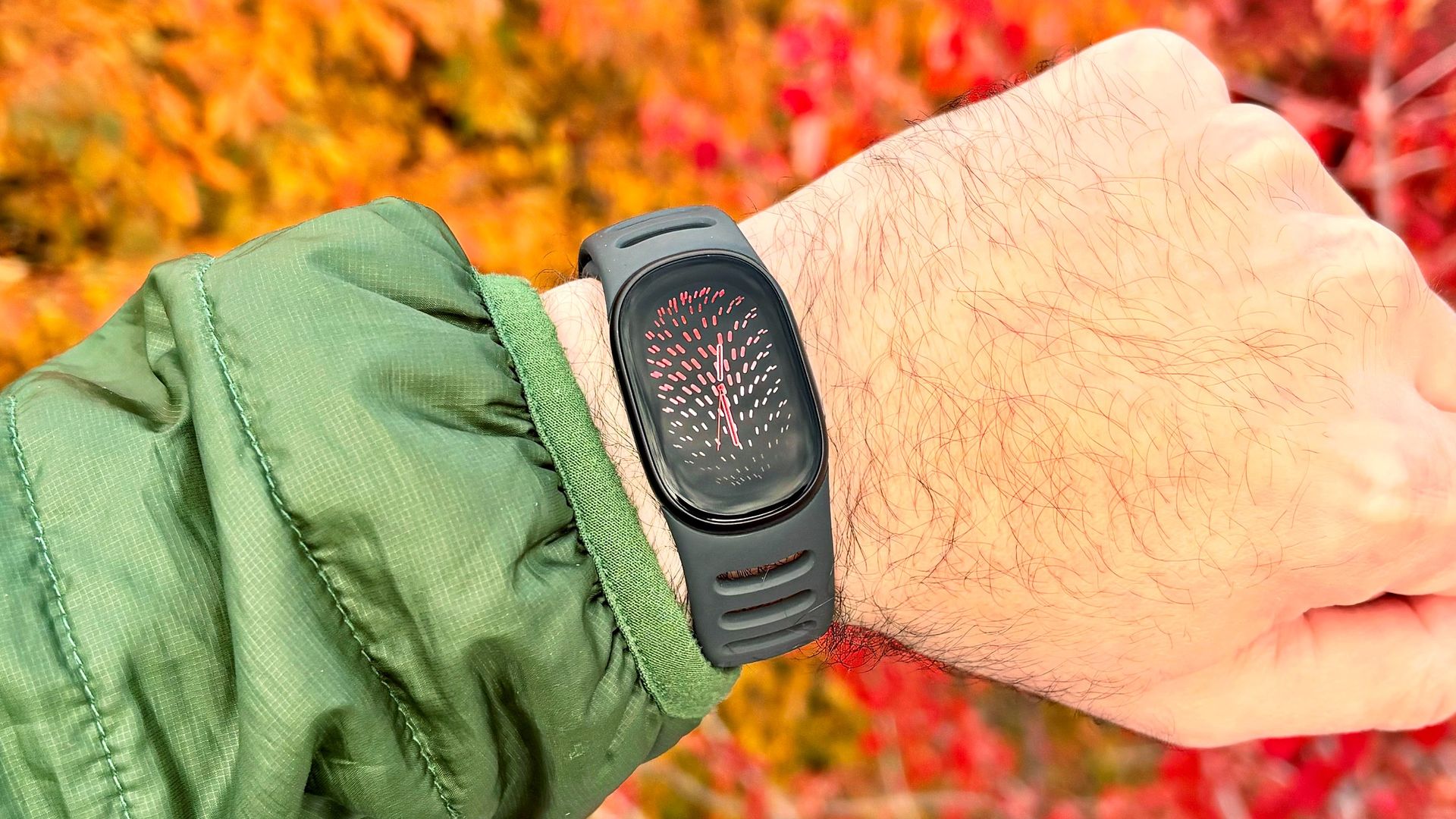
EXECUTIVE SUMMARY
The new Fitbit Edge has several hidden GPS tracking modes that vastly increase battery performance. But as always, there's a catch.
Key Takeaways
- The Fitbit Edge’s onboard GPS is a battery hog — but I found an easy fix.
- The new Fitbit Edge has several hidden GPS tracking modes that vastly increase battery performance.
- But as always, there's a catch.
Read Complete Original Article
Published originally on Tom's Guide