

I’ve been writing about Apple Fitness Plus since it launched in December 2020 — what started as workouts with your favorite trainers has evolved into a much larger ecosystem, and this might be one of its most exciting transformations to date. Today, Apple has announced new Gym Strength plans, launching on Fitness Plus. These personalized four-week training plans move away from group classes and more towards helping users reach their own fitness goals. The plans are progressive and work with larger commercial gyms, as well as with minimal equipment at home. Let’s dive into everything you can expect from this update: 1. You can customize your own plan Gym Strength is designed to take the guesswork out of the gym. You’ll find it in the Fitness Plus menu, and you’ll be asked to answer a few questions before you begin. This helps the algorithm to create a programme best suited to you. You’ll input how familiar you are with strength training, your goal, the areas of your body you want to work, the days of the week you prefer to work out on, and, most importantly, the equipment you have available. (Image credit: Apple)Once you’ve got your plan, you can turn on Apple Intelligence-powered training notes, or leave them off. The note is designed to summarize your progress and give you an overview of how this workout can help you reach your goals. 2. You’ll be able to see the exercises demoed on your iPhone or iPad One of the most difficult things about working out alone is making sure you’re moving with good form. You can move through the Gym Strength workouts at your own pace, with your own music, but each exercise will be demoed by a Fitness Plus trainer to ensure you’re getting the form right. You can tap on the video to expand it and see the trainer from three different angles. (Image credit: Apple)Each exercise has recommended sets, reps, and load, depending on what you’ve lifted before and what you are hoping to achieve. You can easily tap Swap on an exercise if you just don’t want to do it, and swap out the equipment available if you’re in a busy gym and don’t want to wait. On-screen, you’ll also see a dynamic bar, which shows you at a glance how you’re progressing through your workout. 3. You can follow along from your Apple Watch Of course, this is Apple, so seamless integration is a given. You can see your exercises, reps, and load from your wrist if you’re using an Apple Watch during the workout, as well as what’s coming next. You can also see your heart rate data and how many calories you’ve burned. (Image credit: Apple)4. The plan progresses with you Unlike a strength plan you’ve downloaded from the internet or grabbed from ChatGPT, the Gym Strength plans are designed to progress with you session by session. With input from the Fitness Plus strength trainers, the plans give you an estimated load when suggesting an exercise you’ve not done before. Using your inputs, the plan will tell you when it thinks you need to increase the weight you’re lifting, based on your past performances. I’ll be grabbing some weights and heading to the gym to test my own Gym Strength plan over the next few weeks. Watch this space! More from Tom's GuideI walked 5,500 steps with the Apple Watch 12 vs Garmin Venu 4 — here's the winnerApple Watch Series 12 vs Apple Watch Ultra 4: Which new Apple Watch should you buy?I’ve tested over 100 fitness trackers head-to-head — 3 workout stats I trust the least
The one feature Apple Fitness Plus was missing is finally here. Here’s everything you need to know about Gym Strength
TO
Tom's GuideBy Jane McGuire 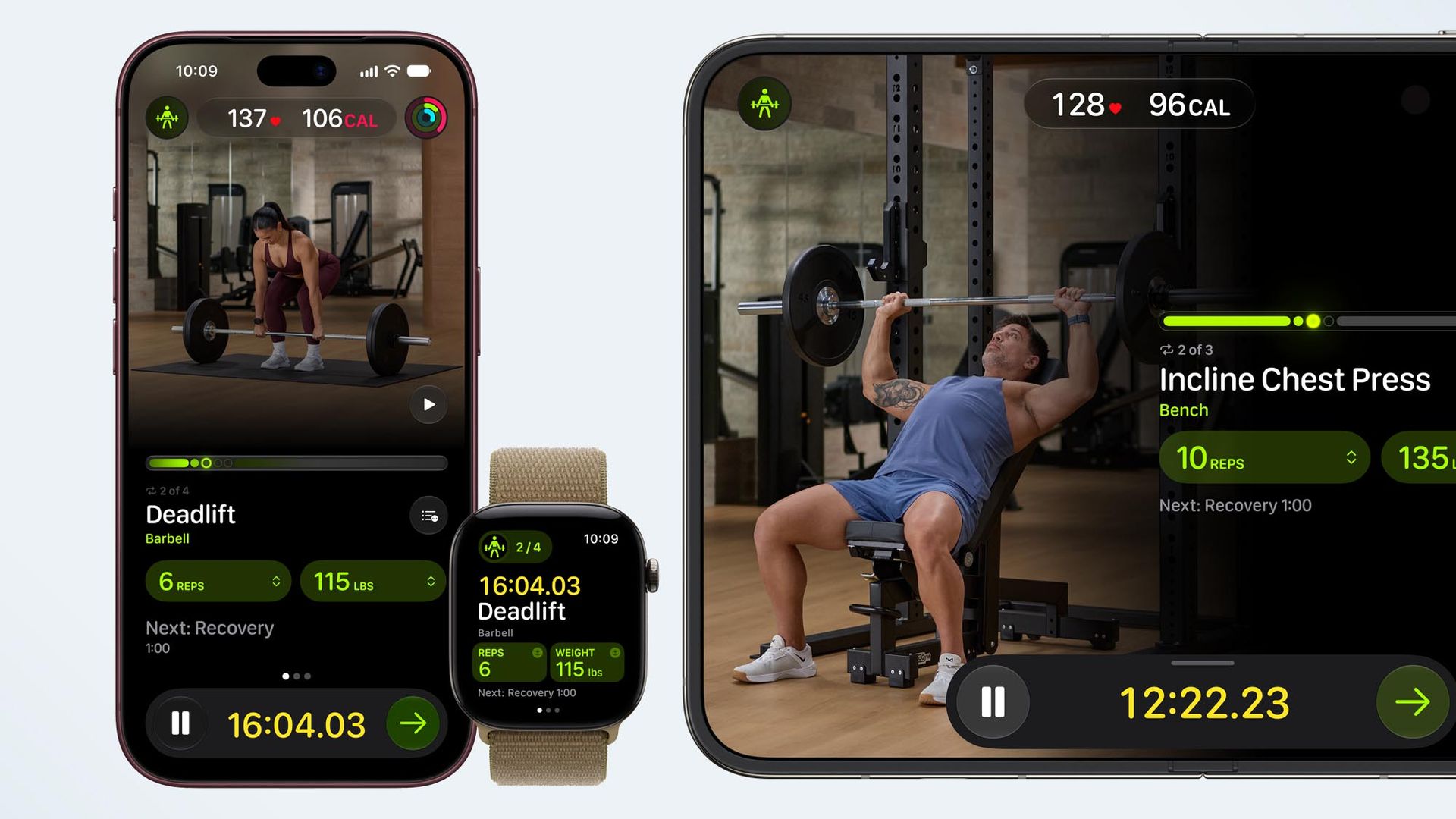
EXECUTIVE SUMMARY
The lowdown on the new Apple Fitness Plus Gym Strength plans
Key Takeaways
- The one feature Apple Fitness Plus was missing is finally here.
- Here’s everything you need to know about Gym Strength.
- Today, Apple has announced new Gym Strength plans, launching on Fitness Plus.
Read Complete Original Article
Published originally on Tom's Guide